New Layup Navigation and Green Direction
Layup Navi
Manage your shots properly and make a great score!
Shot Navi has developed this function!
Have you ever had the same experience?
You’re holding a big club but can’t reach the second shot…
Why not try laying up from the beginning to leave your preferred distance and make a good score?
Depending on how you feel that day, laying up from your preferred distance is also one of your strategies and course strategies.
What is Layup Navi?
Simply set your preferred distance and it will always navigate you to your preferred layup location.
Layup Navi is an original feature only available on ShotNavi.
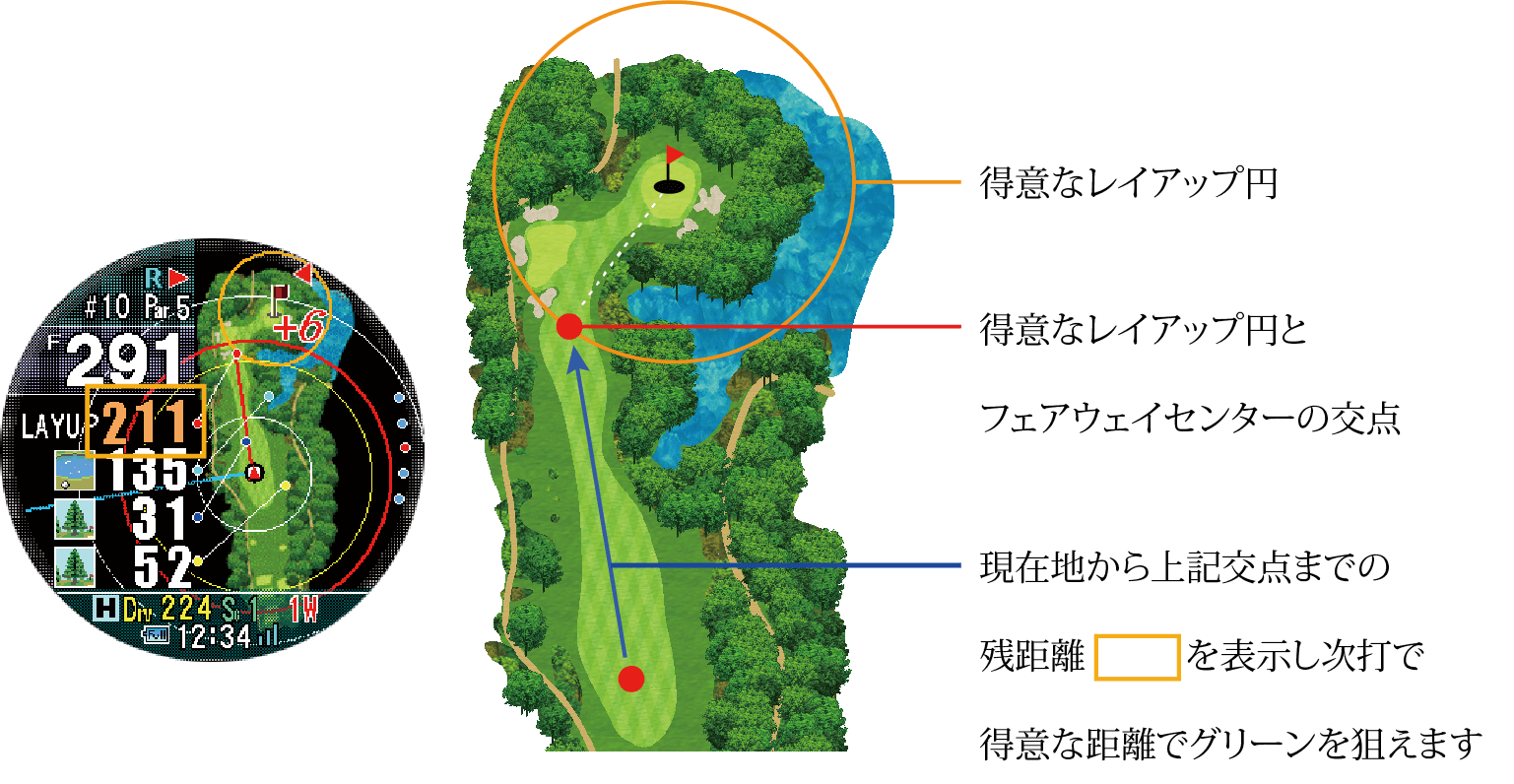 Displays the distance from your current location to the center of the fairway where you can lay up.
Green Direction
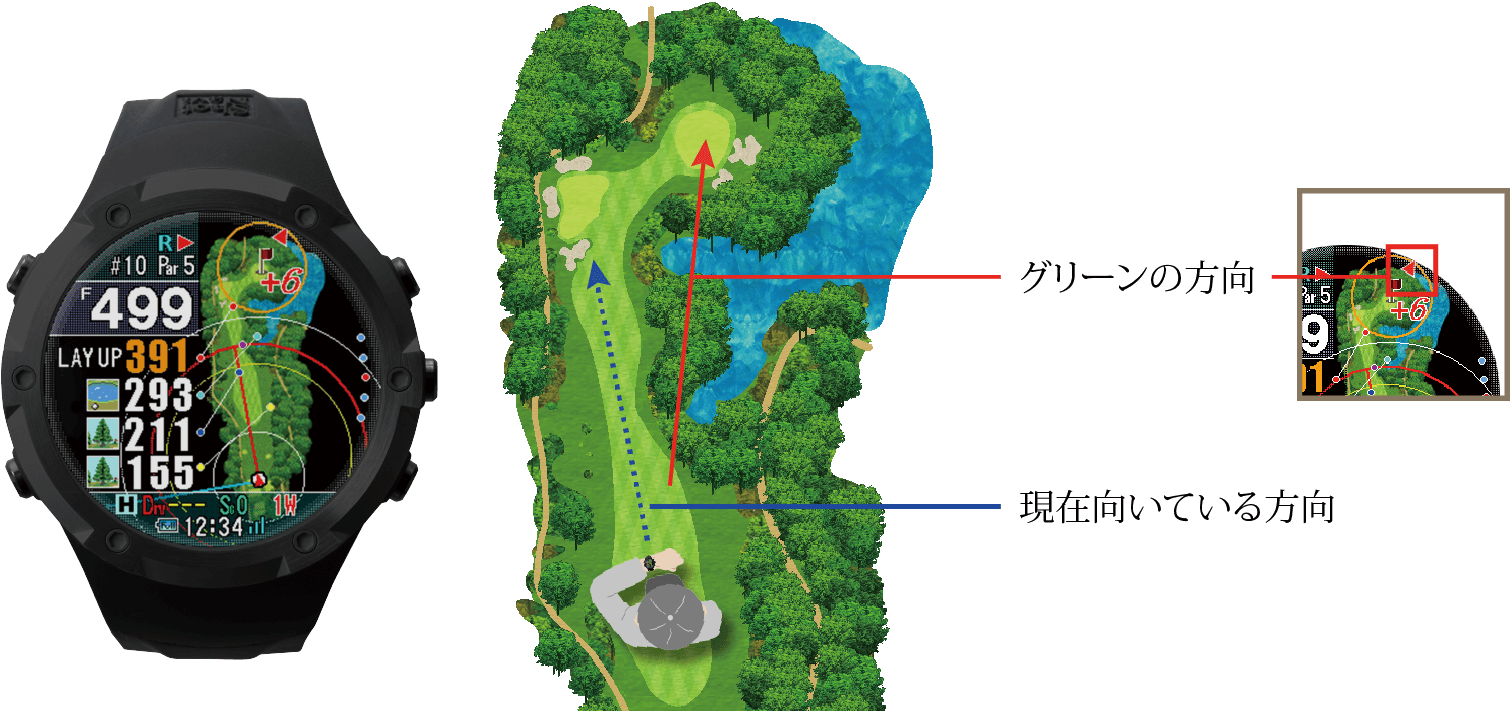 Manage your shots properly and make a great score! Shot Navi has developed this function!
Shot Navi’s unique patented features
Fairway Navigator Real Distance
An original feature exclusive to ShotNavi that navigates the distance to the fairway in the direction you are facing and the actual distance you should hit.
[Patent No. 6336885]
Fairway Navigator
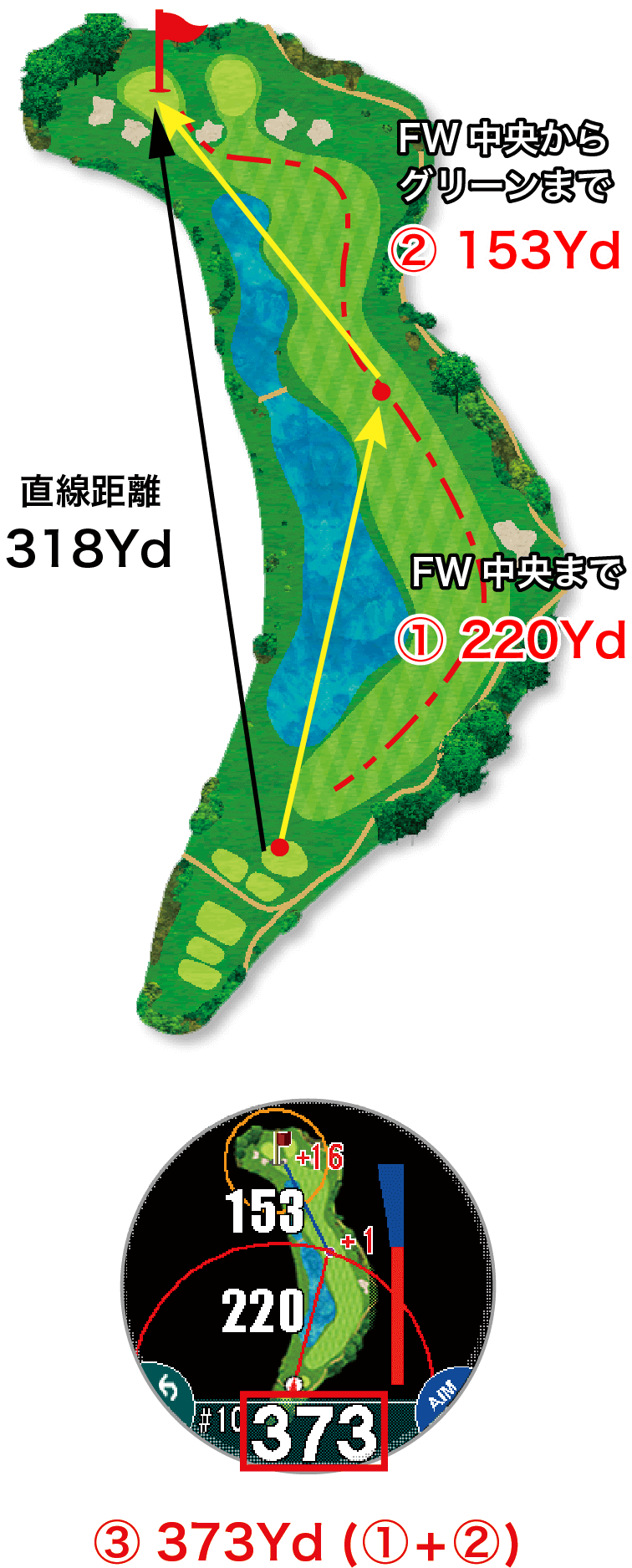
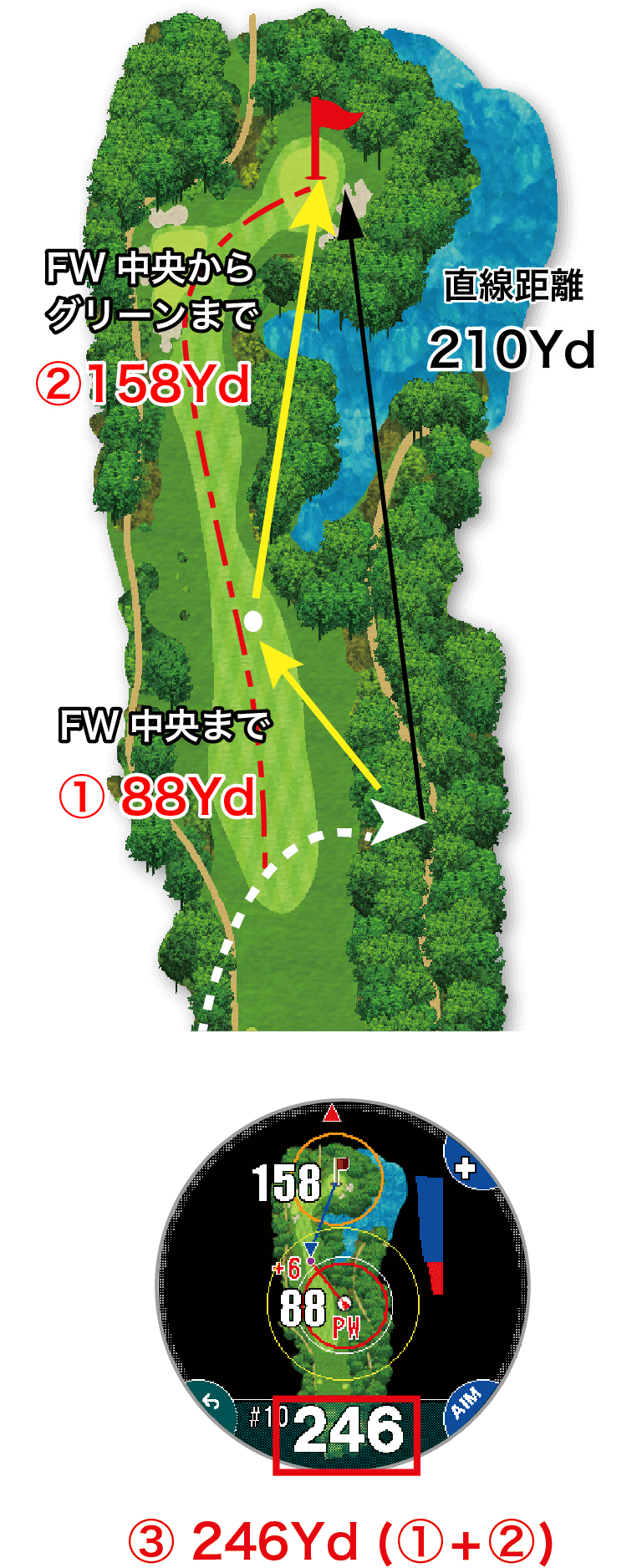
On doglegs (left image) or when you cannot aim directly at the green (right image), the distance between three points (① the distance from your current location to the center of the fairway, and ② the distance from there to the center of the green) is displayed.
Real Distance
Instead of the straight-line distance from your current location to the green, the actual distance you need to hit (③) will be displayed, which is the sum of ① and ②.
Automatic distance measurement
Auto Measure
Automatically detects and records shots for you
Autoscore
Automatically counts the score based on the shot *1
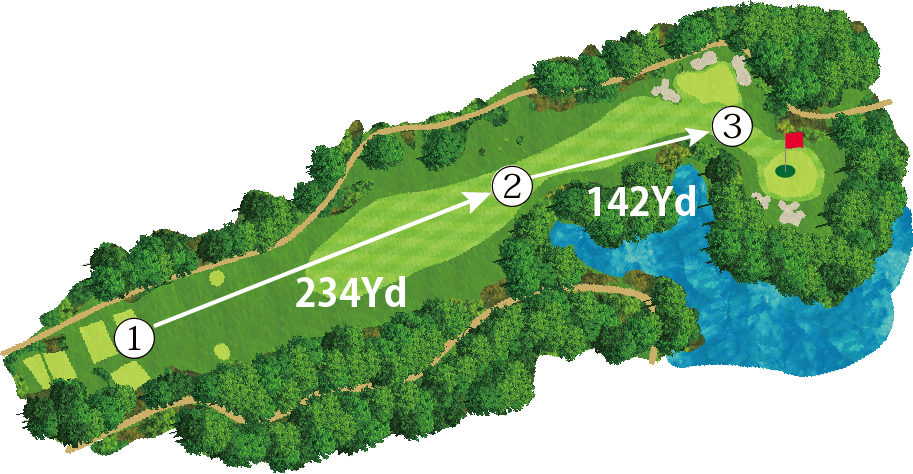

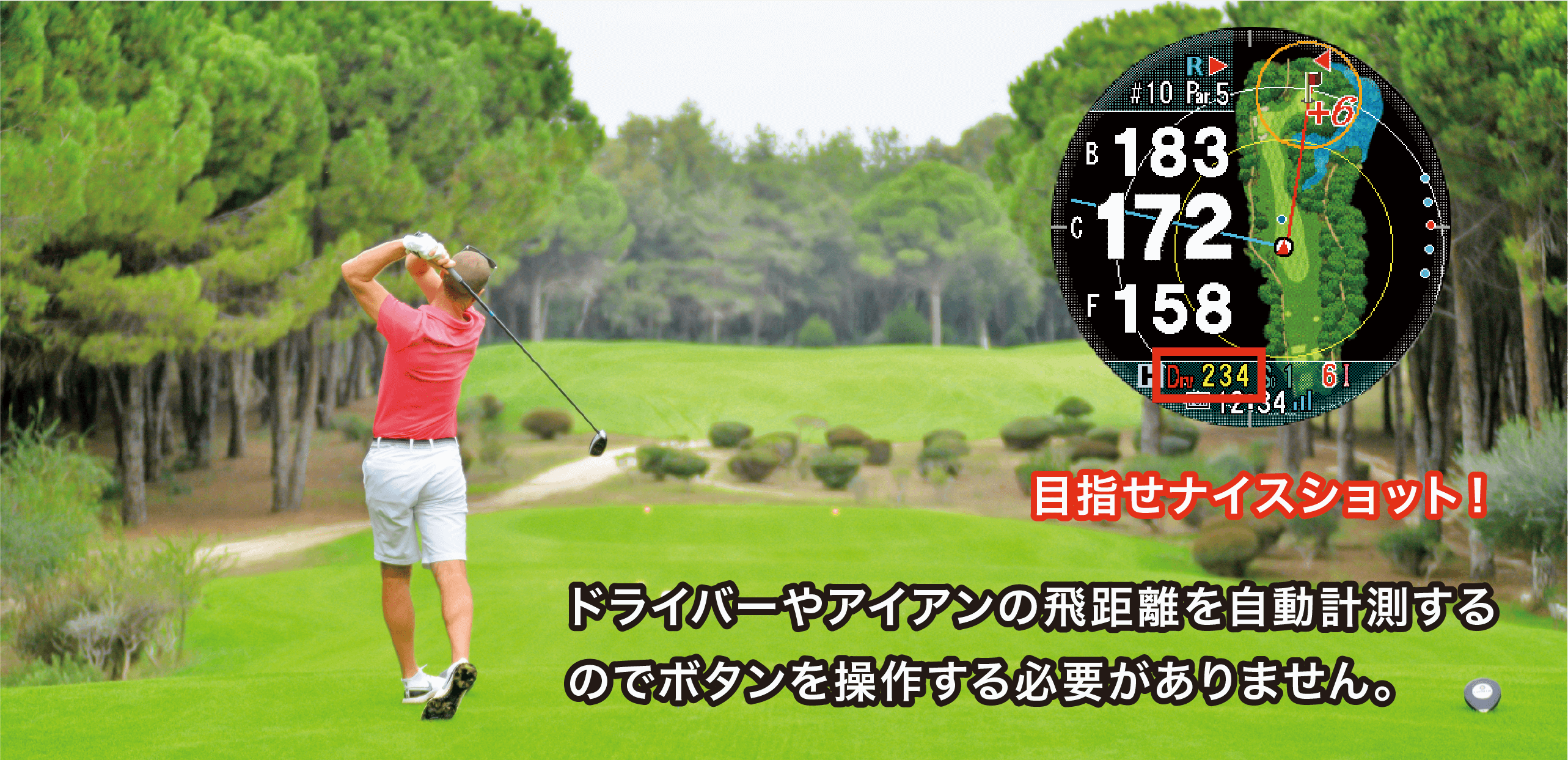
Shots are automatically detected and
Drv is displayed in red.
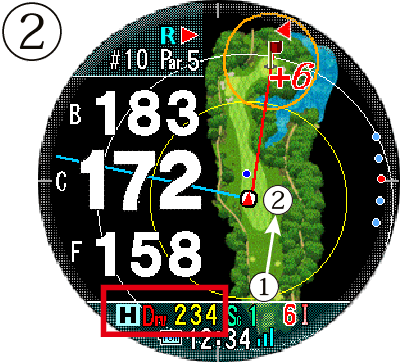
Display distance from ①

Display distance from ②
It automatically detects shots, records their locations (location registration), and
automatically displays the distance traveled without manual operation. It
also works with the scorecard, automatically counting up your score (except for putts).
Various navigation screens
Scene-aware navigation
The Auto View Change function automatically displays the appropriate navigation screen depending on the situation during play .
Of course, you can also manually switch between the different screens depending on the playing situation.
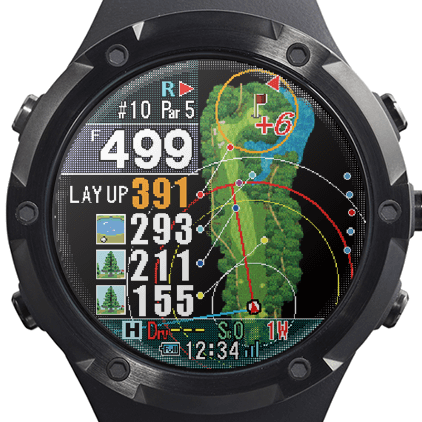
Hazard View
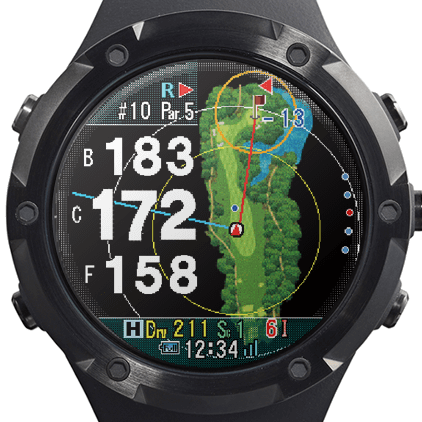
Simple View
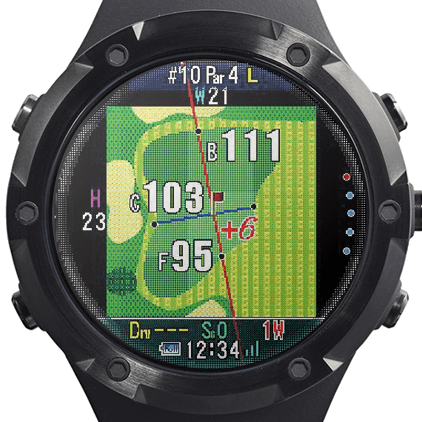
Green View
Auto View Change
Automatically displays the optimal navigation screen based on the remaining distance
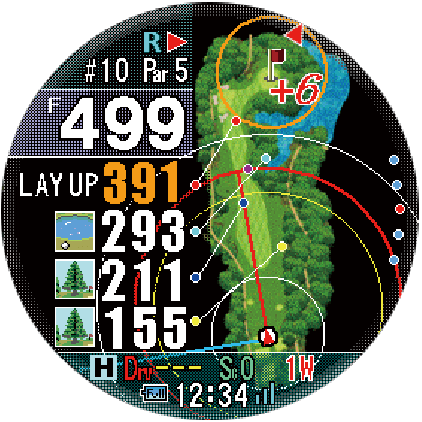
Near the tee ground
When teeing off, the entire course layout and distance to the front of the green, distance to various hazards, and distance to your preferred layup spot are displayed.
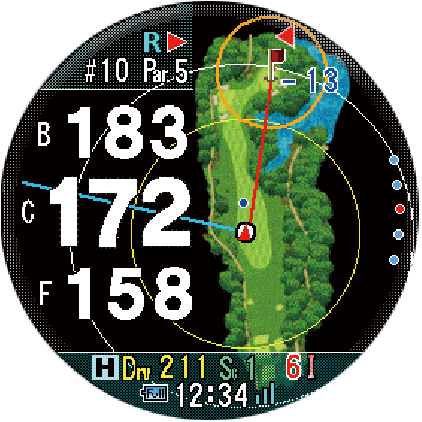
Near the second shot
When you are within a distance where you can aim directly at the green, such as for your second shot, the view automatically switches to Simple View,
showing the course layout and distances to the front, center, and back edges of the green.
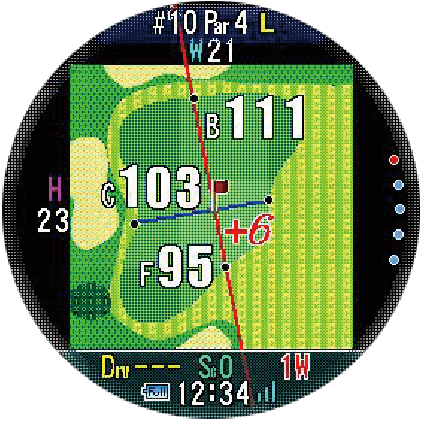
Around the green
For approach shots, the shape of the green, the distance from your current position to the front and back edges, and the width and length of the green are displayed.
Horizontal/reference distance
Switch between modes depending on your playing situation and preferences
The estimated distance required for the actual shot is automatically calculated and displayed, taking into account the elevation difference (uphill or downhill) in the measured straight-line distance.
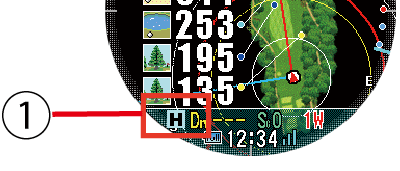
Horizontal/guideline icon
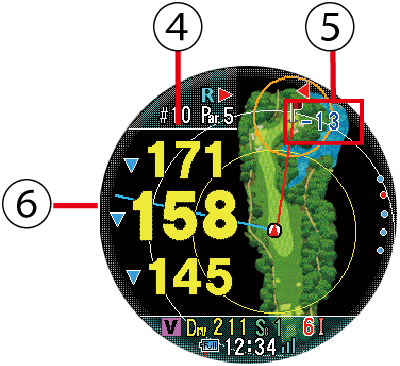
① Icons indicate whether the currently displayed distance is horizontal or an approximate distance.
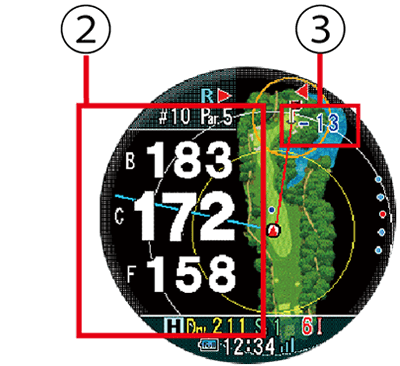
Horizontal distance display
② Horizontal distance to the green
[① H horizontal distance (white text)]
③ Elevation difference between your current position and the center of the green
Estimated distance
④ Estimated distance to the green
[① V Estimated distance (yellow text)]
⑤ Elevation difference between current position and the center of the green
⑥ Display of uphill and downhill shots
Convenient notification function
Notifications of incoming calls to your smartphone will be displayed on the screen.
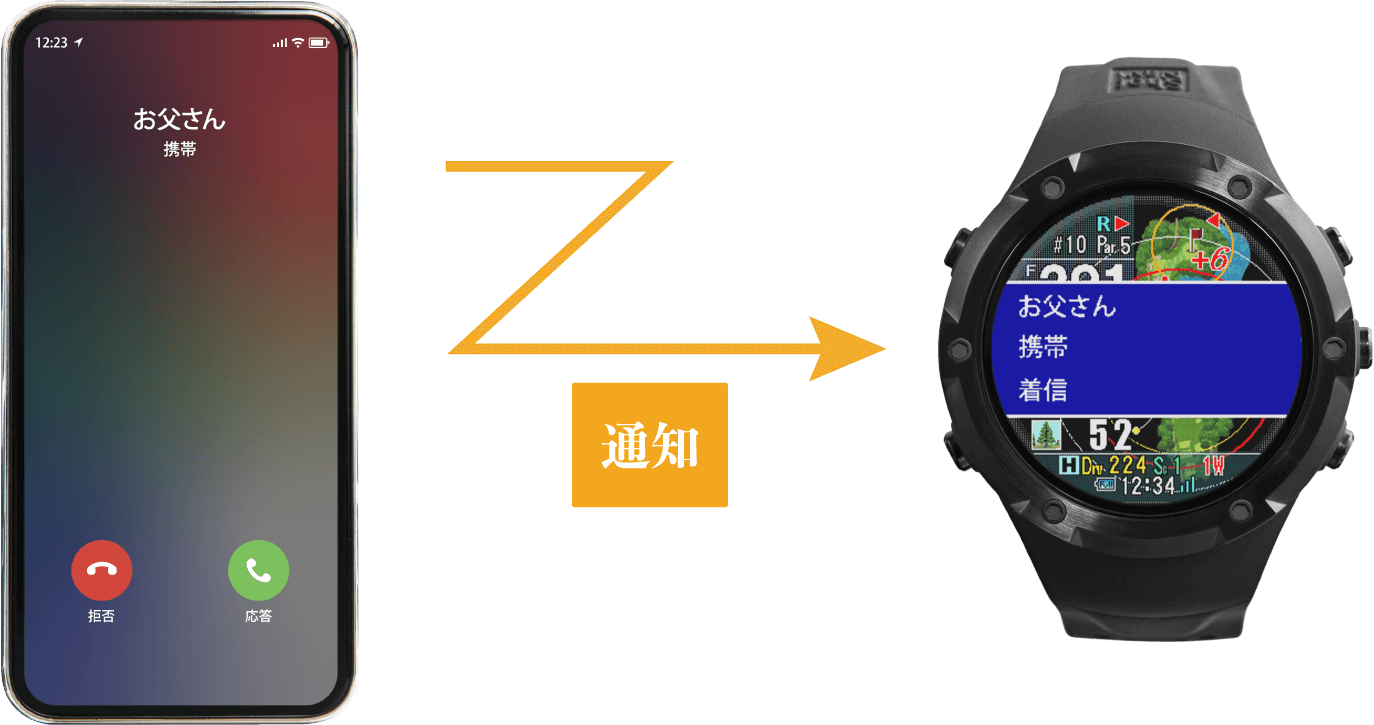 It notifies you of incoming calls, SMS messages, and other notifications on your smartphone. *Compatible with iOS only. (Compatible with iPhone 5S and later models) *Requires the ShotNavi app to be installed and paired with the device via Bluetooth.







Reviews
There are no reviews yet.